
CI/CD: Continuous Integration dan Continuous Deployment untuk Developer Modern
 17 Jan 2026
 19 mnt baca
Membahas konsep CI/CD (Continuous Integration/Continuous Deployment) dengan fokus pada implementasi praktis dan real-world workflow. Anda akan mempelajari prinsip-prinsip dasar CI/CD, cara membangun pipeline automation, dan best practices yang dapat meningkatkan development velocity hingga 50%. Cocok untuk developer pemula hingga menengah yang ingin memahami dan mengimplementasikan modern DevOps practices untuk delivery aplikasi yang lebih cepat dan reliable.
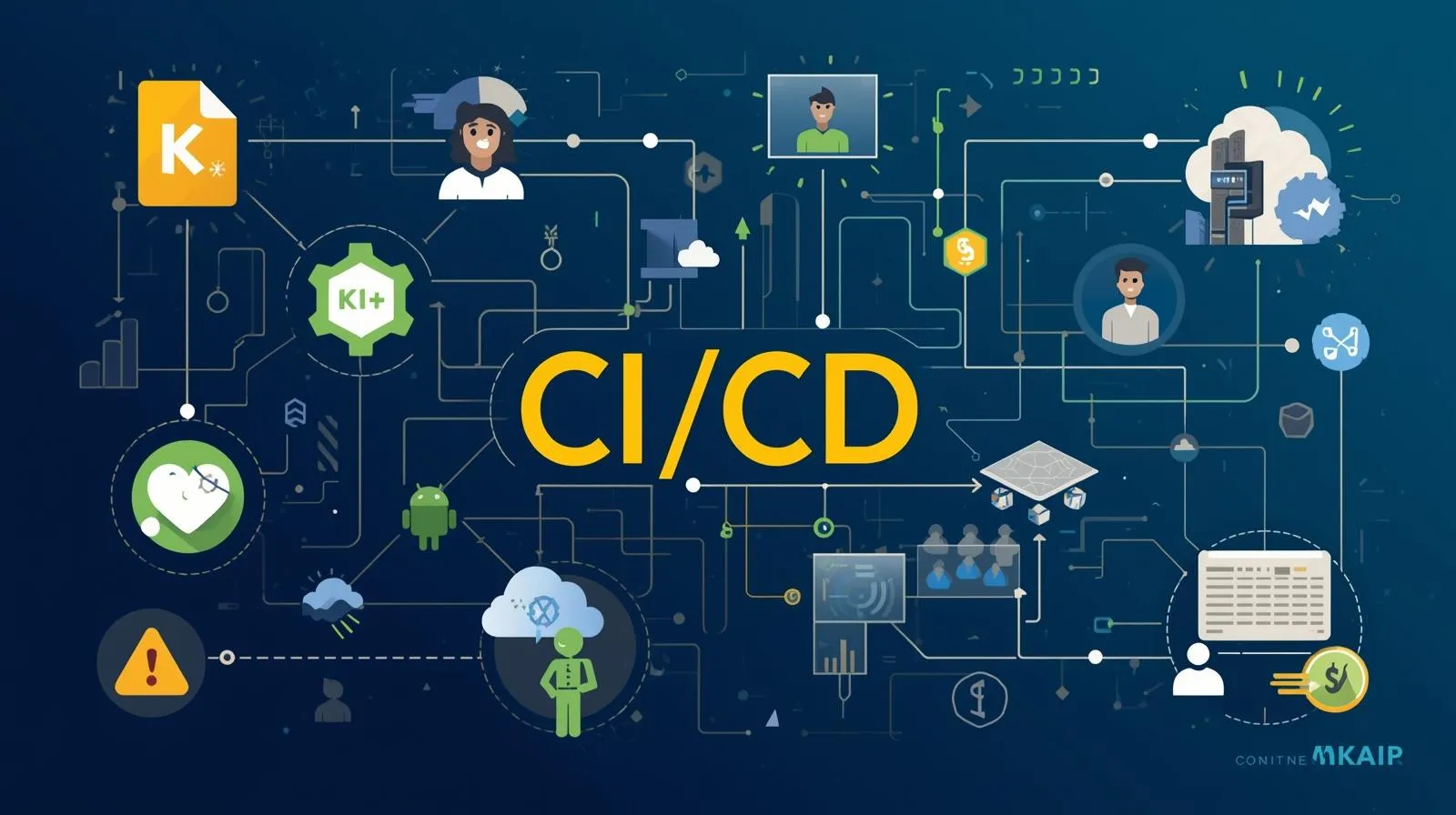
Di era pengembangan software modern, kecepatan delivery tanpa mengorbankan kualitas adalah competitive advantage yang krusial. Menurut State of DevOps Report 2024, organisasi yang mengimplementasikan CI/CD practices mampu deploy kode 200 kali lebih sering dengan lead time yang 2,555 kali lebih cepat dibandingkan yang masih menggunakan manual deployment. Namun bagi banyak developer pemula, konsep CI/CD masih terasa abstrak dan kompleks.
CI/CD bukan sekadar tools atau teknologi, melainkan filosofi dan praktik pengembangan yang mengubah cara tim software bekerja. Continuous Integration memastikan setiap perubahan kode ter-integrasi dan ter-test secara otomatis, sementara Continuous Deployment membawa kode tersebut ke production secara automated dan safe. Kombinasi keduanya menciptakan feedback loop yang cepat, mengurangi risk deployment, dan meningkatkan collaboration antar developer.
Artikel ini ditujukan untuk developer yang ingin memahami CI/CD dari fundamental hingga implementasi praktis. Anda akan mempelajari apa itu CI/CD dan mengapa penting, bagaimana membangun pipeline pertama dengan contoh real code, strategi testing dalam CI/CD workflow, dan best practices untuk production-ready deployment yang dapat langsung diterapkan dalam project Anda.
Pembahasan akan mencakup penjelasan konsep dasar CI/CD dengan analogi yang mudah dipahami, implementasi hands-on menggunakan GitHub Actions dan GitLab CI, strategi branching dan deployment yang proven, hingga monitoring dan rollback strategies yang memastikan deployment Anda selalu safe dan recoverable.
Memahami Fundamental CI/CD
CI/CD adalah kombinasi dari dua praktik DevOps yang saling melengkapi: Continuous Integration dan Continuous Deployment. Untuk benar-benar memahami value-nya, kita perlu breakdown masing-masing konsep dan melihat bagaimana mereka bekerja bersama.
Apa Itu Continuous Integration (CI)?
Continuous Integration adalah praktik dimana developer secara reguler merge code changes ke shared repository, biasanya beberapa kali per hari. Setiap merge ke repository trigger automated build dan automated testing. Tujuan utamanya adalah mendeteksi integration issues sedini mungkin.
Bayangkan Anda bekerja dalam tim dengan 5 developer. Tanpa CI, masing-masing developer bekerja di branch terpisah selama berminggu-minggu, kemudian merge semua changes sekaligus. Proses merge ini akan penuh dengan conflicts, bugs yang sulit di-trace, dan integration problems yang memakan waktu berhari-hari untuk resolve. Ini yang disebut "integration hell".
Dengan CI, setiap developer merge changes setiap hari atau bahkan beberapa kali sehari. Setiap merge otomatis di-build dan di-test. Jika ada masalah, terdeteksi immediately ketika codebase masih fresh di kepala developer. Conflicts lebih sedikit karena incremental, dan bugs easier to identify karena changes yang di-merge kecil dan specific.
Apa Itu Continuous Deployment (CD)?
Continuous Deployment adalah praktik otomatis deploy setiap code change yang pass automated tests ke production environment. Ini adalah extension dari Continuous Integration, dimana automation tidak berhenti di testing saja, tetapi lanjut sampai deployment.
Perlu dibedakan dengan Continuous Delivery, yang mirip tetapi deployment ke production masih memerlukan manual approval. Continuous Deployment fully automated tanpa human intervention, sedangkan Continuous Delivery automated sampai staging, lalu manual decision untuk production.
Dalam praktik, Continuous Deployment berarti: developer push code → automated tests run → jika pass, otomatis deploy ke production → user langsung bisa akses fitur baru. Cycle time dari ide ke production bisa dalam hitungan menit atau jam, bukan minggu atau bulan.
Mengapa CI/CD Penting?
Manfaat CI/CD bukan hanya tentang kecepatan, tetapi quality dan risk reduction. Pertama, faster feedback loop. Developer tahu dalam hitungan menit apakah code mereka break something, bukan menunggu sampai QA testing atau worse, sampai production.
Kedua, reduced integration risk. Dengan frequent small merges, integration issues lebih mudah di-identify dan di-fix. Tidak ada big-bang integration di akhir sprint yang penuh dengan surprises. Ketiga, improved code quality. Automated testing yang run di setiap commit memastikan standards terjaga. Test coverage termonitor dan regressions tertangkap sebelum merge.
Keempat, faster time to market. Deployment yang automated berarti fitur bisa sampai ke user lebih cepat. Tidak perlu menunggu deployment window atau manual processes yang memakan waktu. Kelima, better developer experience. Developer bisa fokus pada writing code, bukan pada manual testing dan deployment processes yang repetitive dan error-prone.
Komponen Utama dalam CI/CD Pipeline
Sebuah CI/CD pipeline terdiri dari beberapa stages yang executed secara sequential atau parallel. Build stage compile source code, resolve dependencies, dan create deployable artifacts. Test stage menjalankan berbagai level testing: unit tests, integration tests, end-to-end tests. Security scan stage check untuk vulnerabilities, dependency issues, dan compliance violations.
Deployment stage deploy artifacts ke target environment (staging, production, atau multi-region). Monitoring stage verify deployment success, run smoke tests, dan collect metrics. Setiap stage bisa succeed atau fail, dan failure di any stage akan stop pipeline dan notify team.
Pipeline juga memiliki concepts seperti artifacts (compiled code, docker images, atau packages yang di-pass antar stages), environment variables (configurations yang berbeda per environment), dan secrets (API keys, credentials yang di-encrypt dan di-inject secara secure ke pipeline).
💡 Tips Pro: Start dengan simple pipeline yang fokus pada core workflow: build, test, deploy. Jangan over-engineer di awal dengan terlalu banyak stages atau complex logic. Iterate dan improve pipeline seiring project maturity.
Implementasi CI/CD: Dari Setup hingga First Pipeline
Mari kita praktikkan implementasi CI/CD dengan real example menggunakan GitHub Actions, salah satu CI/CD platform yang paling accessible untuk pemula karena integrated langsung dengan GitHub.
Persiapan Project dan Repository
Langkah 1: Setup Project Structure
Kita akan menggunakan contoh aplikasi Node.js sederhana dengan Express.js backend. Pastikan project Anda memiliki structure yang clean dengan separation of concerns. Minimal, Anda perlu package.json untuk dependencies, src/ folder untuk source code, dan tests/ folder untuk test files.
Project juga harus memiliki testing framework configured. Untuk Node.js, kita bisa gunakan Jest. Install dependencies yang diperlukan untuk testing dan pastikan ada script npm test yang bisa run tests locally. Ini penting karena pipeline akan execute script yang sama.
Langkah 2: Initialize Git dan Push ke GitHub
Initialize git repository jika belum, commit initial code, dan push ke GitHub. Best practice adalah memiliki .gitignore yang proper untuk exclude node_modules/, environment files, dan build artifacts dari version control.
Create repository di GitHub sebagai remote origin. Untuk CI/CD pipeline, Anda bisa gunakan public atau private repository. GitHub Actions gratis untuk public repos dan memiliki generous free tier untuk private repos (2,000 minutes per month).
Membuat CI Pipeline dengan GitHub Actions
Langkah 3: Create Workflow File
GitHub Actions menggunakan YAML files yang disimpan di .github/workflows/ directory. Create file baru misalnya ci.yml yang akan define CI workflow. Workflow file ini adalah blueprint dari automation pipeline Anda.
Struktur dasar workflow terdiri dari: name (identifier untuk workflow), on (trigger events seperti push atau pull request), jobs (collection of steps yang akan executed), dan steps (individual commands atau actions yang run sequential).
Contoh workflow sederhana untuk Node.js application terlihat seperti ini:
name: CI Pipeline

on:
  push:
    branches: [ main, develop ]
  pull_request:
    branches: [ main ]

jobs:
  build-and-test:
    runs-on: ubuntu-latest

    steps:
    - uses: actions/checkout@v3

    - name: Setup Node.js
      uses: actions/setup-node@v3
      with:
        node-version: '18'

    - name: Install Dependencies
      run: npm ci

    - name: Run Tests
      run: npm test

    - name: Build Application
      run: npm run build
Langkah 4: Understanding Workflow Components
Mari kita breakdown setiap part dari workflow. on: push berarti workflow akan trigger setiap ada push ke branches yang specified. runs-on: ubuntu-latest menentukan OS environment dimana jobs akan executed. GitHub provides hosted runners dengan Ubuntu, Windows, dan macOS.
actions/checkout@v3 adalah pre-built action yang clone repository code ke runner. actions/setup-node@v3 setup Node.js environment dengan version yang specified. npm ci install dependencies berdasarkan package-lock.json, lebih reliable dan faster untuk CI environment dibanding npm install.
npm test dan npm run build execute scripts yang defined di package.json. Ini kenapa penting untuk have consistent scripts. Pipeline tidak care apa testing framework yang Anda gunakan, selama npm test execute tests dengan benar.
Adding CD: Automated Deployment
Langkah 5: Deploy to Cloud Platform
Untuk Continuous Deployment, kita perlu target deployment environment. Contoh ini akan deploy ke Vercel (untuk frontend/fullstack) atau Railway (untuk backend), tetapi konsepnya sama untuk platform lain seperti AWS, Google Cloud, atau Azure.
Extend workflow dengan deployment step yang hanya run jika tests pass dan hanya untuk specific branch (misalnya main untuk production). Deployment memerlukan credentials atau tokens yang di-store sebagai GitHub Secrets agar tidak exposed di code.
jobs:
  build-and-test:
    # ... (steps sebelumnya)

  deploy:
    needs: build-and-test
    runs-on: ubuntu-latest
    if: github.ref == 'refs/heads/main'

    steps:
    - uses: actions/checkout@v3

    - name: Deploy to Production
      env:
        DEPLOY_TOKEN: ${{ secrets.DEPLOY_TOKEN }}
      run: |
        # Deployment commands specific to platform
        npm run deploy
Langkah 6: Configure Secrets and Environment Variables
Di GitHub repository settings, navigate ke "Secrets and variables" → "Actions". Add secrets seperti deployment tokens, API keys, atau database credentials. Secrets ini di-encrypt dan hanya accessible oleh workflows, tidak visible di logs atau UI.
Environment variables yang non-sensitive bisa defined langsung di workflow file atau di repository variables. Best practice adalah separate configurations untuk different environments: development, staging, production.
Testing the Pipeline
Langkah 7: Trigger First Pipeline Run
Commit workflow file dan push ke GitHub. Navigate ke "Actions" tab di repository untuk see pipeline execution. Anda akan see real-time logs dari setiap step, termasuk command output dan potential errors.
Jika pipeline fail, click pada failed step untuk see detailed logs. Common issues untuk first-time setup adalah missing dependencies, incorrect scripts di package.json, atau path issues. Fix errors locally, commit, dan push lagi untuk retrigger pipeline.
Successful pipeline akan show green checkmarks untuk semua steps. Untuk pull requests, GitHub akan show pipeline status directly di PR page, dan Anda bisa configure branch protection rules yang require pipeline to pass before merging.
⚠️ Perhatian: Jangan pernah hardcode credentials atau sensitive information di workflow files. Selalu gunakan GitHub Secrets atau external secret management tools. Workflow files di-commit ke repository dan bisa accessed oleh anyone dengan repository access.
Strategi Testing dalam CI/CD
Testing adalah jantung dari CI/CD pipeline. Tanpa comprehensive testing, automation hanya akan mempercepat delivery of bugs. Mari kita explore testing strategies yang effective dan practical.
Pyramid Testing Strategy
Testing pyramid adalah konsep yang mengorganize tests berdasarkan granularity dan speed. Di bottom pyramid adalah unit tests yang fast, numerous, dan test individual functions atau components. Middle layer adalah integration tests yang test interaction between components. Top layer adalah end-to-end tests yang test complete user flows tetapi slow dan fewer.
Dalam CI/CD context, pyramid ini translate ke execution order dan failure impact. Unit tests run first karena fast dan give immediate feedback. Jika fail, pipeline stops immediately, saving time dan resources. Integration tests run next, dan e2e tests run last atau bahkan di separate stage setelah deployment ke staging environment.
Balance yang ideal adalah 70% unit tests, 20% integration tests, dan 10% e2e tests. Ini memastikan fast feedback loop sambil maintaining confidence bahwa system works end-to-end. Over-reliance pada e2e tests akan membuat pipeline slow dan flaky.
Unit Testing dalam Pipeline
Unit tests adalah foundation dari CI/CD testing strategy. Untuk Node.js dengan Jest, unit tests biasanya located di tests/unit/ atau co-located dengan source files menggunakan naming convention seperti *.test.js.
Best practice adalah run unit tests dengan coverage reporting. Jest bisa generate coverage reports yang show berapa persen code ter-cover oleh tests. Dalam pipeline, Anda bisa set minimum coverage threshold dan fail pipeline jika tidak meet threshold.
- name: Run Unit Tests with Coverage
  run: npm test -- --coverage --coverageThreshold='{"global":{"lines":80}}'
Coverage reports juga bisa di-upload ke services seperti Codecov atau Coveralls untuk tracking overtime dan visualization di pull requests. Ini helps maintain atau improve code quality continuously.
Integration Testing
Integration tests verify bahwa different modules atau services work together correctly. Untuk aplikasi dengan database, ini berarti testing database operations. Untuk aplikasi dengan external APIs, testing API integrations dengan mocking atau using test instances.
Challenge dalam CI pipeline adalah environment setup untuk integration tests. Database perlu available, external services perlu accessible atau mocked. GitHub Actions support service containers yang run alongside main workflow, perfect untuk databases.
jobs:
  integration-test:
    runs-on: ubuntu-latest

    services:
      postgres:
        image: postgres:15
        env:
          POSTGRES_PASSWORD: postgres
        options: >-
          --health-cmd pg_isready
          --health-interval 10s
          --health-timeout 5s
          --health-retries 5

    steps:
    - name: Run Integration Tests
      env:
        DATABASE_URL: postgres://postgres:postgres@postgres:5432/test
      run: npm run test:integration
Service containers isolated per job dan automatically cleaned up setelah job complete. Ini ensures clean state untuk setiap test run dan prevents test pollution.
End-to-End Testing
E2e tests simulate real user interactions dengan aplikasi. Tools seperti Playwright atau Cypress navigate aplikasi, click buttons, fill forms, dan verify expected outcomes. These tests paling comprehensive tetapi juga paling slow dan potentially flaky.
Dalam CI/CD, e2e tests bisa run di several strategies: run setelah deployment ke staging environment, run subset of critical paths di every commit, atau run full suite secara scheduled (nightly builds). Choice tergantung pada trade-off antara speed dan coverage.
Modern e2e testing tools support running dalam headless mode yang faster dan CI-friendly. Playwright dan Cypress juga support parallelization yang significantly reduce total execution time dengan running tests concurrently.
Testing Best Practices untuk CI/CD
Deterministic Tests: Tests harus produce same results untuk same code, tidak matter berapa kali di-run atau di environment mana. Avoid tests yang depend pada external factors seperti current time, random values, atau network conditions yang unstable.
Isolated Tests: Setiap test harus independent dan tidak depend pada execution order atau state dari tests lain. Use setup dan teardown methods untuk ensure clean state. Untuk integration tests, reset database atau mock states sebelum setiap test.
Fast Feedback: Prioritize fast tests untuk run early di pipeline. Group slow tests dan run di later stages atau parallel jobs. Developer productivity improve significantly dengan faster feedback loops.
Meaningful Failures: Test failures harus clearly indicate apa yang broken dan kenapa. Write descriptive test names, use assertion messages, dan provide context. Di CI logs, clear error messages save hours of debugging time.
📊 Metrik: Track metrics seperti test execution time, flakiness rate, dan coverage trends. Set up alerts jika metrics degrade. For example, jika average test time increase by 50%, investigate sebelum become major bottleneck.
Deployment Strategies dan Environment Management
Deployment bukan sekadar copying files ke server. Modern deployment strategies focus pada zero-downtime, easy rollback, dan progressive delivery untuk minimize risks.
Understanding Deployment Environments
Most organizations memiliki minimal three environments: Development untuk experimentation dan active development, Staging yang mirror production untuk final testing dan validation, dan Production yang serve real users.
Setiap environment harus memiliki separate configurations, databases, dan access controls. Development bisa relaxed dan accessible, staging restricted untuk testing team, dan production highly controlled dengan strict access policies. CI/CD pipeline automatically deploy ke appropriate environment berdasarkan branch atau tags.
Environment-specific configurations managed melalui environment variables, configuration files, atau secret management services. Never hardcode environment-specific values. Use tools seperti dotenv untuk local development dan CI/CD platform's secret management untuk pipelines.
Blue-Green Deployment
Blue-green deployment adalah strategy dimana dua identical production environments maintained: blue (current) dan green (new version). Traffic initially serve oleh blue environment. Deployment happen ke green environment sementara blue masih serving traffic.
Setelah green environment fully deployed dan verified, traffic switch dari blue ke green. Jika ada issues, rollback simply switch back traffic ke blue. Ini provide instant rollback capability tanpa re-deployment.
Implementation bisa menggunakan load balancer yang switch target, DNS changes, atau platform-specific features. Cloud platforms seperti AWS, Google Cloud, atau Kubernetes support blue-green deployments natively dengan minimal configuration.
Canary Deployment
Canary deployment adalah progressive rollout dimana new version initially deployed ke small subset of users (canary group). Jika metrics stable dan no issues detected, gradually increase percentage of users receiving new version sampai 100%.
Strategy ini minimize blast radius jika ada bugs. Only small percentage of users affected, dan rollback only impact that subset. Monitoring crucial untuk canary deployments untuk detect issues quickly.
Cloud platforms dan service meshes seperti Istio atau AWS App Mesh provide canary deployment capabilities dengan traffic splitting, automated monitoring, dan rollback triggers. Dalam simple setup, bisa achieved dengan load balancer weighted routing.
Rolling Deployment
Rolling deployment update instances gradually, replacing old version dengan new version one at a time atau in small batches. Ini common di containerized environments dengan orchestration tools seperti Kubernetes.
Advantage adalah zero downtime karena some instances selalu available serving traffic. Disadvantage adalah both versions run simultaneously during deployment, yang bisa problematic jika ada breaking changes di API atau database schema.
Kubernetes rolling update bisa configured dengan parameters seperti maxUnavailable (berapa instances boleh down simultaneously) dan maxSurge (berapa extra instances bisa created during update). Fine-tuning parameters optimize balance antara deployment speed dan availability.
Rollback Strategies
Rollback adalah revert ke previous stable version ketika deployment gagal atau issues discovered di production. Effective rollback strategy adalah safety net yang critical untuk confident continuous deployment.
Automated rollback bisa triggered berdasarkan health checks, error rates, atau performance metrics. Manual rollback harus simple dan well-documented untuk emergency situations. Maintain previous versions atau images untuk quick rollback capability.
Best practice adalah tag releases dengan semantic versioning dan maintain deployment history. Rollback seharusnya bukan re-running entire pipeline tetapi switching ke previous known-good version. Tools seperti Kubernetes atau platform-specific deployment managers handle this gracefully.
✅ Best Practice: Always run smoke tests immediately setelah deployment untuk verify basic functionality. Smoke tests adalah subset of critical tests yang fast dan cover essential user flows. Failed smoke tests should trigger automatic rollback.
Analisis Mendalam dan Rekomendasi Strategis
Setelah memahami implementasi teknis CI/CD, penting untuk melihat strategic considerations yang menentukan success atau failure dari CI/CD adoption.
Evaluasi Pendekatan Deployment Tradisional
Traditional deployment menggunakan manual processes, scheduled deployment windows, dan extensive pre-deployment testing. Approach ini memiliki predictability dan control yang tinggi, tetapi membawa significant downsides.
Manual processes prone to human errors. Deployment checklists panjang tetapi still possible untuk skip steps atau misconfigure. Scheduled deployment windows create artificial constraints yang slow down delivery dan create pressure untuk bundle banyak changes sekaligus, increasing risk.
Extensive manual testing sebelum deployment memakan waktu berminggu-minggu tetapi still tidak guarantee bug-free. Reality adalah bugs often discovered di production terlepas dari berapa lama testing phase. CI/CD shifts mindset dari "prevent all bugs before deployment" ke "deploy frequently dengan small changes, detect fast, dan fix fast".
Tren Industri dan Masa Depan CI/CD
CI/CD increasingly integrate dengan AI dan machine learning untuk intelligent decision making. Auto-scaling berdasarkan predictive analytics, automatic rollback triggers based on anomaly detection, dan AI-suggested pipeline optimizations adalah innovations yang emerging.
GitOps adalah evolution dari CI/CD dimana infrastructure dan application state declared di Git, dan automated processes ensure actual state matches declared state. Tools seperti ArgoCD dan Flux implement GitOps principles, making infrastructure changes reviewable dan auditable seperti application code.
Platform Engineering trend focus pada building internal developer platforms yang abstract complexity dari CI/CD pipelines. Developers interact dengan simple interfaces atau CLI tools, sementara underlying pipeline complexity managed oleh platform team.
Rekomendasi Berdasarkan Skala
Untuk Skala Kecil (Personal Projects/Side Projects):
Use managed CI/CD platforms seperti GitHub Actions, GitLab CI, atau Vercel yang provide generous free tiers. Focus pada simple workflows: test → build → deploy. Automated testing lebih penting daripada complex deployment strategies. Deploy ke single region atau simple hosting platform.
Untuk Skala Menengah (Startups/Growing Teams):
Invest dalam proper staging environments dan environment parity. Implement deployment strategies seperti blue-green atau canary untuk production. Add monitoring dan alerting integration ke pipeline. Consider feature flags untuk decouple deployment dari release.
Establish team conventions untuk branching strategy, commit messages, dan PR workflows. Document pipeline configurations dan runbooks untuk common scenarios. Designate pipeline ownership untuk maintenance dan improvements.
Untuk Skala Enterprise:
Build sophisticated pipelines dengan multiple stages, approval gates, dan compliance checks. Implement security scanning, dependency vulnerability checks, dan license compliance di pipeline. Use self-hosted runners untuk sensitive workloads atau untuk better performance.
Consider multi-region deployments dengan traffic routing strategies. Implement advanced observability dengan distributed tracing integration. Build internal platforms yang standardize CI/CD across multiple teams dan repositories.
Kesalahan Umum yang Harus Dihindari
Over-complicated Pipelines: Menambahkan terlalu banyak stages, checks, atau tools di awal creates maintenance burden dan slow feedback loops. Start simple dan iterate. Complexity harus justified dengan clear value.
Insufficient Testing: Relying pada deployment automation tanpa comprehensive tests adalah recipe untuk disaster. Tests adalah safety net yang make automation safe. Invest di testing infrastructure sebelum full deployment automation.
Ignoring Security: Tidak scanning dependencies, exposing secrets di logs, atau skipping security gates untuk speed adalah dangerous shortcuts. Security harus integrated di setiap stage, bukan afterthought atau separate process.
No Rollback Plan: Assuming deployments selalu succeed dan tidak preparing untuk failures adalah unrealistic. Always have documented rollback procedures dan test them regularly. Failed rollback di emergency situation adalah nightmare scenario.
🔒 Keamanan: Implement principle of least privilege untuk pipeline permissions. CI/CD systems memiliki access ke code, secrets, dan production environments, making them high-value targets. Regular audit permissions, rotate secrets, dan monitor pipeline activities untuk suspicious patterns.
Kesimpulan
Ringkasan Poin-Poin Utama:
CI/CD adalah Fundamental Modern Development: Continuous Integration dan Continuous Deployment transform software delivery dari manual, error-prone processes menjadi automated, reliable workflows yang enable rapid iteration dan faster time to market tanpa sacrificing quality.
Automation Requires Investment di Testing: Effective CI/CD pipeline built pada foundation of comprehensive automated testing yang cover unit, integration, dan end-to-end scenarios, providing confidence untuk deploy frequently dengan minimal human intervention.
Start Simple, Iterate Continuously: Successful CI/CD adoption tidak require perfect pipeline di awal, mulai dengan basic automation untuk build dan test, kemudian gradually add deployment automation, monitoring, dan advanced strategies seiring project maturity dan team confidence.
Deployment Strategy Matters: Choosing appropriate deployment strategy seperti blue-green, canary, atau rolling deployment based pada application requirements dan risk tolerance significantly impact deployment success rate dan blast radius dari potential failures.
Monitoring and Rollback are Critical: CI/CD bukan hanya tentang deploying faster tetapi deploying safer dengan comprehensive monitoring untuk detect issues quickly dan reliable rollback mechanisms untuk recover dari failures dengan minimal user impact.
Manfaat Keseluruhan:
Mengadopsi CI/CD practices fundamentally changes how teams develop dan deliver software. Developer productivity meningkat karena automated processes eliminate repetitive manual tasks, allowing focus pada actual feature development. Code quality improve through consistent automated testing dan faster feedback loops yang catch issues early. Time to market accelerate dengan elimination of deployment bottlenecks dan ability untuk release features incrementally. Most importantly, team confidence increase knowing bahwa automated safeguards dan rollback capabilities minimize risks dari frequent deployments, creating culture of continuous improvement dan experimentation yang drive innovation.
Referensi dan Sumber
- GitHub Actions Documentation - https://docs.github.com/en/actions
- GitLab CI/CD Documentation - https://docs.gitlab.com/ee/ci/
- State of DevOps Report 2024 - https://cloud.google.com/devops/state-of-devops
- Continuous Delivery by Jez Humble - https://continuousdelivery.com/
- Docker Documentation for CI/CD - https://docs.docker.com/build/ci/
- Kubernetes Deployment Strategies - https://kubernetes.io/docs/concepts/workloads/controllers/deployment/
- Martin Fowler on Continuous Integration - https://martinfowler.com/articles/continuousIntegration.html
Disclaimer: Artikel ini merupakan pandangan pribadi berdasarkan pengalaman praktis dalam mengimplementasikan CI/CD workflows untuk berbagai project dan team sizes. Implementasi dan best practices dapat bervariasi tergantung pada technology stack, team structure, organizational requirements, dan compliance needs. Selalu refer ke official documentation dari tools yang Anda gunakan dan adapt recommendations sesuai dengan specific context dan constraints dari project Anda.
Post Terbaru


 165x dibaca
164x dibaca
155x dibaca
22 Sep 2026
165x dibaca
164x dibaca
155x dibaca
22 Sep 2026
Podman vs Docker: Development dan Production
Post Terkait
 6 mnt baca
Tutorial Podman Rootless: Menjalankan Container Lebih Aman Tanpa Root
Panduan praktis Podman rootless untuk Linux: instalasi, konfigurasi user namespace, menjalankan Nginx, membuat pod, dan...
21 Okt 2026
 7 mnt baca
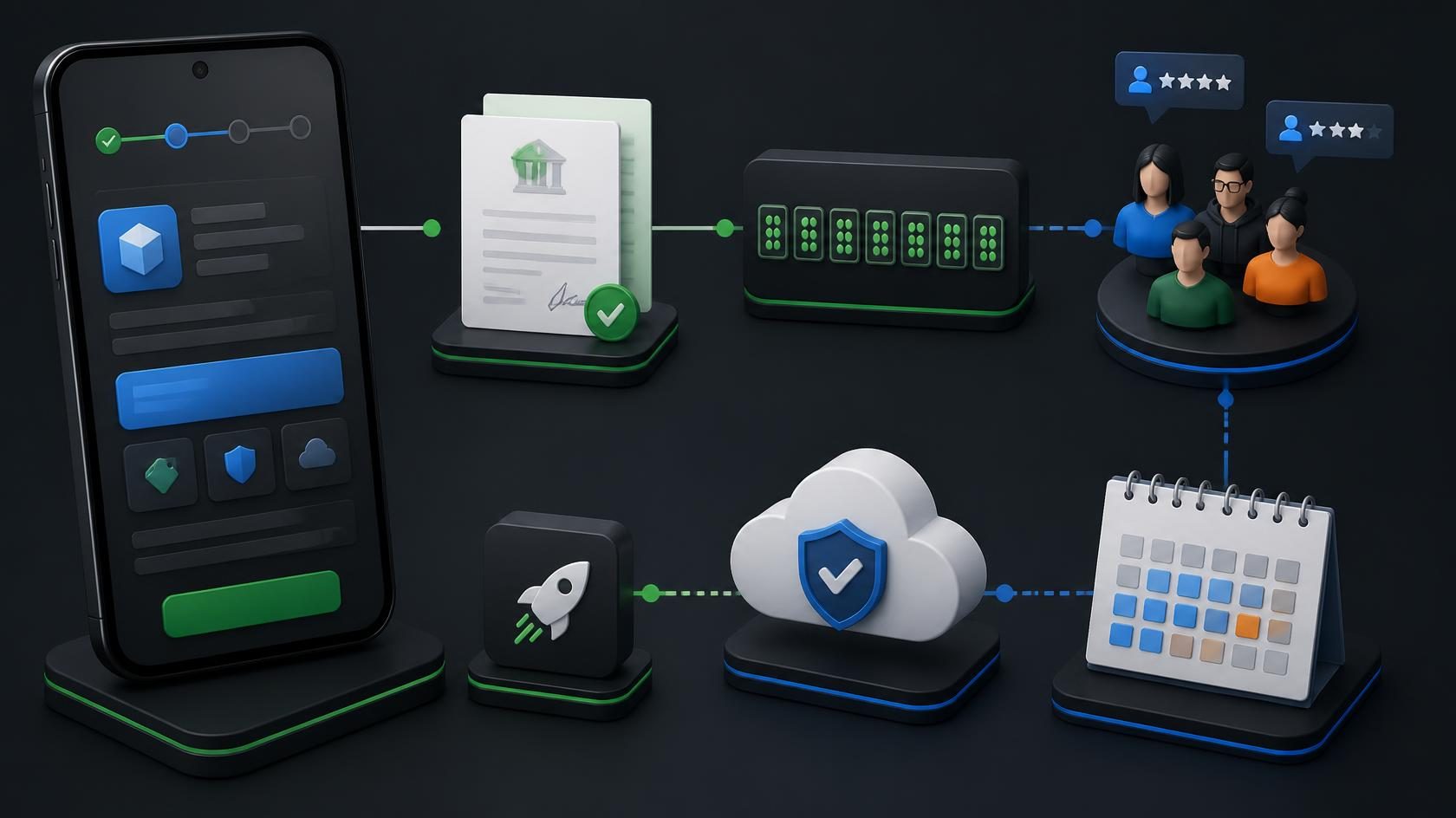
Pengalaman Publish Aplikasi ke Google Play: Personal vs Organization, D-U-N-S, Tester dan Biaya
Membedah proses publikasi aplikasi ke Google Play: akun personal vs organization, D-U-N-S, 12 tester selama 14 hari, bia...
25 Sep 2026
 10 mnt baca
Memilih Container Image: Alpine, Debian, Ubuntu atau Distroless?
Panduan memilih container image untuk Docker dan Podman. Bandingkan Alpine, Debian Slim, Ubuntu, Fedora, Rocky, UBI, Dis...
25 Sep 2026